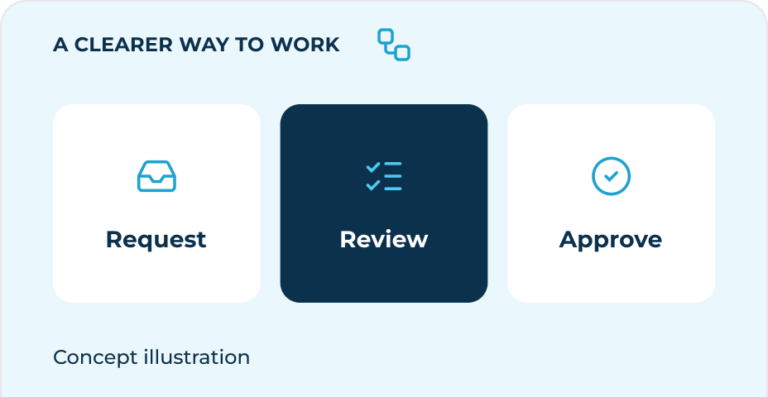
The best place to start isn’t a tool. It’s a conversation about how work gets done.
Someone copies the same information into two systems. A request sits in an inbox because nobody knows who should approve it. A weekly report takes longer to assemble than it does to discuss. These are useful signals, but they are not yet a reason to buy software.
Automation can make a clear process easier to run. It can also make an unclear process move faster in the wrong direction. Before choosing a platform, look closely at the work: what starts it, where it slows down and what a better outcome would look like for the people doing it.
This guide offers a practical starting point. Work through it with someone who handles the process day to day, not just the person responsible for the system. The aim is a smaller, clearer decision — not a complete transformation plan.
[ 01 ]
Find the friction, not just the repetition
A task happening often does not automatically make it worth automating. A quick, reliable step may need no change at all. A less frequent task that delays a customer, creates rework or depends on one person’s memory may deserve more attention.
Ask your team where they chase updates, check the same details twice or wait for information. Look for repeated copying, missing fields, unclear approvals and handovers that rely on a personal message. Describe the problem in everyday language before describing a solution.
“We need an automated approval system” is a proposed answer. “Requests wait because the approver is unclear” is a problem you can investigate. The distinction matters: the second might be solved with a named owner, a shared queue or a simpler rule, without adding another tool.
ASK YOUR TEAM
“Which part of this process makes you stop, chase someone or do the work again?”
[ NEXT STEP ]
Discuss your workflow
Share the process slowing your team down. We’ll help you identify the work worth changing and the next practical step.
Discuss your workflow[ 02 ]
Map the workflow as it actually happens
Choose one recent request and trace it from beginning to end. Write down the trigger, the information needed, each step, the person responsible and the point at which the work is complete. Include email, spreadsheets and informal messages, even if they are absent from the official process.
Pay particular attention to handovers. What tells the next person that something is ready? Can they find the information they need? What happens when a field is missing or an approver is away? These details often explain more than a list of software features.
Keep the first map simple enough to discuss in one sitting. You do not need specialist notation. A few boxes and arrows are enough if the team can recognise the work and point out what is missing. Mark exceptions rather than trying to solve all of them immediately.
ILLUSTRATIVE WORKFLOW · A ROUTINE REQUEST
At each handover, ask: who owns it, what information is needed and what happens if something is missing?
[ 03 ]
Simplify before you automate
Once the work is visible, ask which steps still serve a purpose. Could you collect the right information once, remove a duplicate approval or give the team one shared place to see status? Standardising the input is often more useful than connecting every system at once.
Then separate rules from judgement. A reminder after an agreed interval is a rule. Deciding whether an unusual customer request is reasonable is a judgement. The first may be suitable for automation; the second may still need a person, supported by better information.
Agree how exceptions should be handled before you build anything. Missing data, duplicate requests and unexpected values need a visible route back to an owner. An automation should make uncertainty easier to notice, not hide it inside a background task.
There is no failure in deciding not to automate. If a clearer template or a revised handover resolves the problem, you have improved the work. Keep that improvement and move your attention to the next genuine constraint.
[ 04 ]
Choose one manageable first workflow
A useful pilot has a clear beginning and end, a named owner and rules the team can explain. Prefer a contained workflow with predictable inputs and a safe way to recover if something goes wrong. Avoid making your first experiment the process that carries the greatest operational risk.
Compare possible pilots using effort, usefulness and risk rather than enthusiasm alone. How often does the problem occur? Who is affected? Are the required data and permissions available? Can the team support the change after it launches? A modest improvement that can be maintained is a stronger starting point than a broad promise.
For example, a team might test routing a complete internal request to the right owner and sending a reminder when it is waiting. The approval decision can remain with a person. That is a bounded experiment; replacing the entire request-to-payment process is a much larger undertaking.
Write down what is included and what is not. Agree who will check the pilot, where issues will be recorded and how to return to the previous process. Only then compare tools against the workflow’s actual requirements, including access, integrations and ongoing cost.
[ 05 ]
Define success, review and then expand
Before the pilot starts, record how the process works today. You might note time spent handling a request, how long it waits, how often information is missing or how frequently someone has to chase an update. Use measures you can collect consistently, without creating a reporting burden.
Set a review point and look at both the numbers and the team’s experience. Has work become easier to follow? Do people trust the status they see? Are exceptions visible? A faster step is not an improvement if it creates extra checking somewhere else.
Keep, adjust or stop the pilot based on what you learn. Document the rules and ownership so the process does not depend on its original builder. Expand only when the first workflow is stable and the team understands how to manage it. Small, deliberate changes give you a firmer foundation for the next decision.
[ PUT THE THINKING INTO PRACTICE ]
Your first automation checklist
Before choosing a tool, make sure you can answer these six points with your team.
Start with one process your team knows well. Make it clearer, then make it easier.
[ NEXT STEP ]
Get help mapping your process
If you want help turning this checklist into a practical next step, share the workflow and we’ll help you identify where to start.
Discuss your workflow