Home / Case Study
[ Client work ]
Real businesses. Systems that work together.
We design and build the websites, apps and business systems our clients run on every day. Here is what we built for Eezze Build and Bid2Buy Auctioneers.

Case study 01
Eezze Build
Building materials and hardware · 7 branches across Botswana

Case study 02
Bid2Buy Auctioneers
Auction house · Gaborone, Botswana
[ Our solution ]
One connected flow.
Clear responsibility at every step.
Every system we build follows the same shared workflow. Requests, approvals, delivery and reporting are connected, automation handles the routine updates, and people stay in control of the decisions.
Connected workflow blueprint
How Eezze Build and Bid2Buy work today
Intake
A structured request with the context needed to begin.
Approve
Route decisions to the right owner, with clear rules.
Deliver
Assign work and surface progress in a shared view.
Learn
Track agreed measures and identify where to improve.
Connected business systems
Role-based ownership
Human review for exceptions
[ Case study 01 · Eezze Build ]
One connected platform for a seven-branch hardware business.
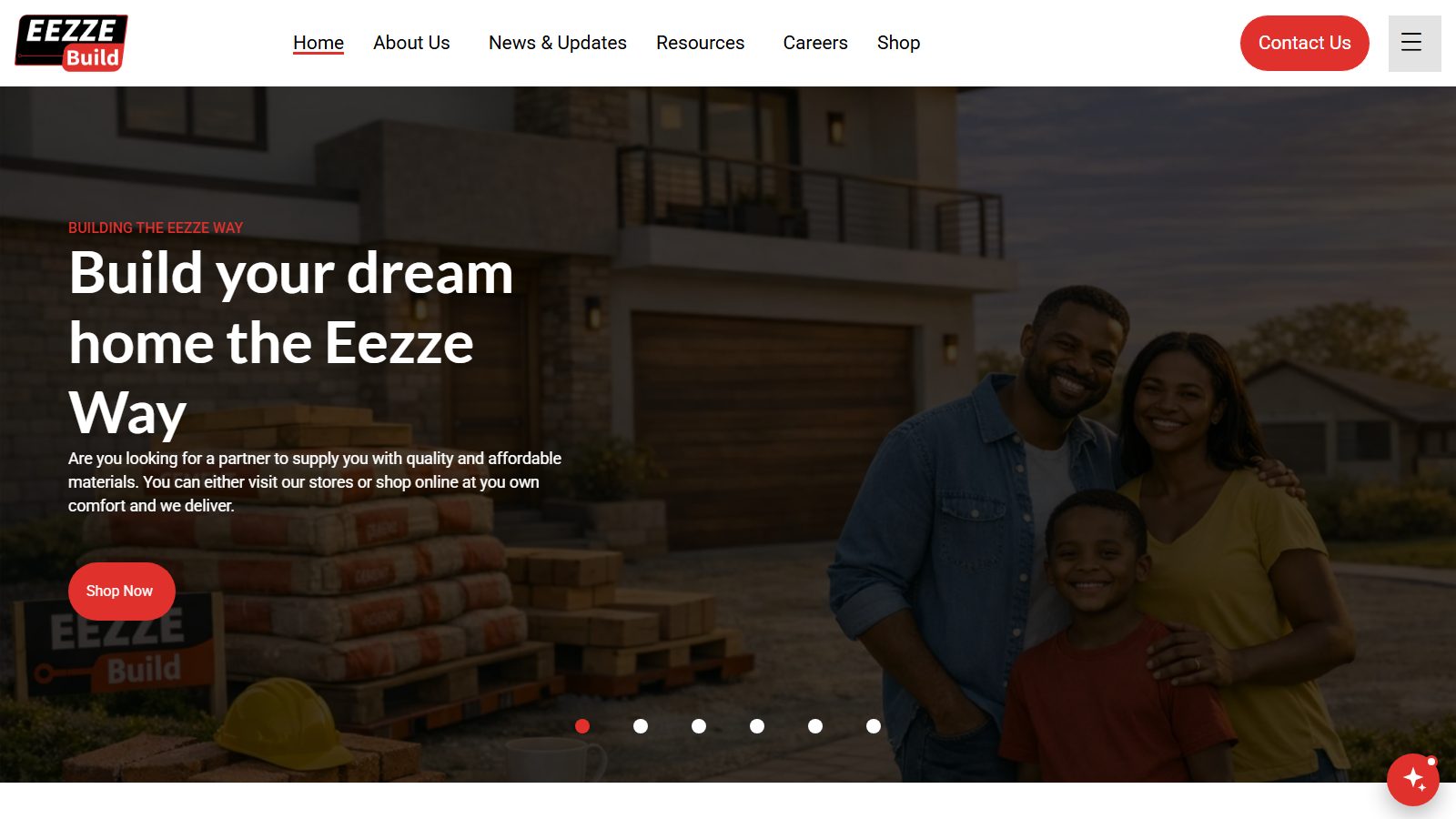
Eezze Build supplies building materials and hardware from seven branches across Botswana. We built the digital side of the business end to end: how customers find Eezze Build, how they buy, and how staff run the work behind every order.
At a glance
Client
Eezze Build
Industry
Building materials and hardware retail
Reach
7 branches: Gaborone, Francistown, Palapye, Serowe, Mogoditshane, Molepolole and Tlokweng
What we built
Corporate website · Multi-branch e-commerce store · Mobile app · Windows operations dashboard
Visit eezzebuild.co.bwThe brief
Give customers one place to shop every branch at that branch’s own prices and stock, online or from their phone, and give staff one system for the work behind every sale, from the first enquiry to the finished order.
Our approach
We started with how customers actually buy and how each team works. The website, the online store, the mobile app and the staff dashboard all share the same products, prices, customers and orders, so nothing has to be entered twice.
[ What we built for Eezze Build ]
Four products. One way of working.
Each product does its own job, and together they connect the customer’s experience with the team’s day-to-day work.
Corporate website
The Eezze Build brand online: who they are, their branches, news and updates, resources, careers and contact details, with a direct path into the online shop.
Multi-branch e-commerce store
Customers choose their branch and shop at that branch’s prices and stock. They can request a quotation and check out for delivery or for collection from their branch.
Mobile shopping app
A native mobile experience that extends the store: branch prices and stock, a catalogue that opens even without signal, quotations, checkout, live delivery tracking on a map, and a push notification for every order update.
Operations Dashboard for Windows
The Windows app the company is run from, installed on each staff PC. Staff sign in once on an approved PC and see only the screens their role is granted. It keeps working when the connection drops, catches up when it returns, and updates itself.
What it covers
Orders, refunds and discount approvals
Quotations from the website, the counter and the lobby kiosk, sent as PDF or turned into orders
Leads, customers and CRM, with handovers between agents
Products, branch prices and price history
Deals, promotions and sales targets
Marketing campaigns by email, SMS, push and WhatsApp
One inbox for Facebook, Messenger, WhatsApp and website chat
Deliveries: our own trucks, a driver marketplace, a live map and inter-branch transfers
Call monitoring with call history and recordings
Customer complaints, product reviews and an IT service desk
Customer projects and follow-ups
HR: employees, attendance and payroll
Analytics on leads, quotations, orders and team performance
Staff usage reports and activity history
Built-in step-by-step guide for every screen
Connected systems
The dashboard is the front desk for the systems the business already runs on.
8
See all connected systems
The Eezze Build website (WordPress and WooCommerce): products, orders, customers and sign-in
Kerridge K8 point of sale: branch prices, counter quotations and delivery paperwork
3CX phone system: call history and recordings
Meta: the Facebook Page, Messenger and WhatsApp
Gmail: counter quotations collected from the company mailbox
SMS gateway, email and push notifications for campaigns
The customer shopping app and the drivers’ delivery app
Lobby kiosk tablets: kiosk quotations and video calls
AI built in
AI takes on the reading, listening and first answers, and people make the decisions.
5
See where AI is used
A website chat assistant answers shoppers from the live catalogue at any hour, then hands over to a person
Recorded sales calls are transcribed by AI
AI reads Kerridge K8 quotation and delivery documents, so nobody retypes them
AI reads printed promotion flyers to build a deal’s product list for review
An AI image upscaler enlarges product and marketing artwork to 4K, entirely on the PC
Automation
Routine work happens in the background, so the team can focus on customers.
8
See what runs automatically
Counter quotations are imported from Gmail every few minutes and assigned to the right branch and agent
Work saved offline is sent automatically when the connection returns
Every PC checks for new versions, verifies them and updates itself
Campaigns can be scheduled, and unsubscribed customers are left out automatically
Usage reports are emailed to managers every week and every month
Live alerts arrive as Windows notifications and screens refresh on their own
IT tickets are prioritised automatically by impact and urgency
Permission changes reach every running PC without anyone signing out
[ Case study 02 · Bid2Buy Auctioneers ]
The full auction business, from warehouse to invoice.
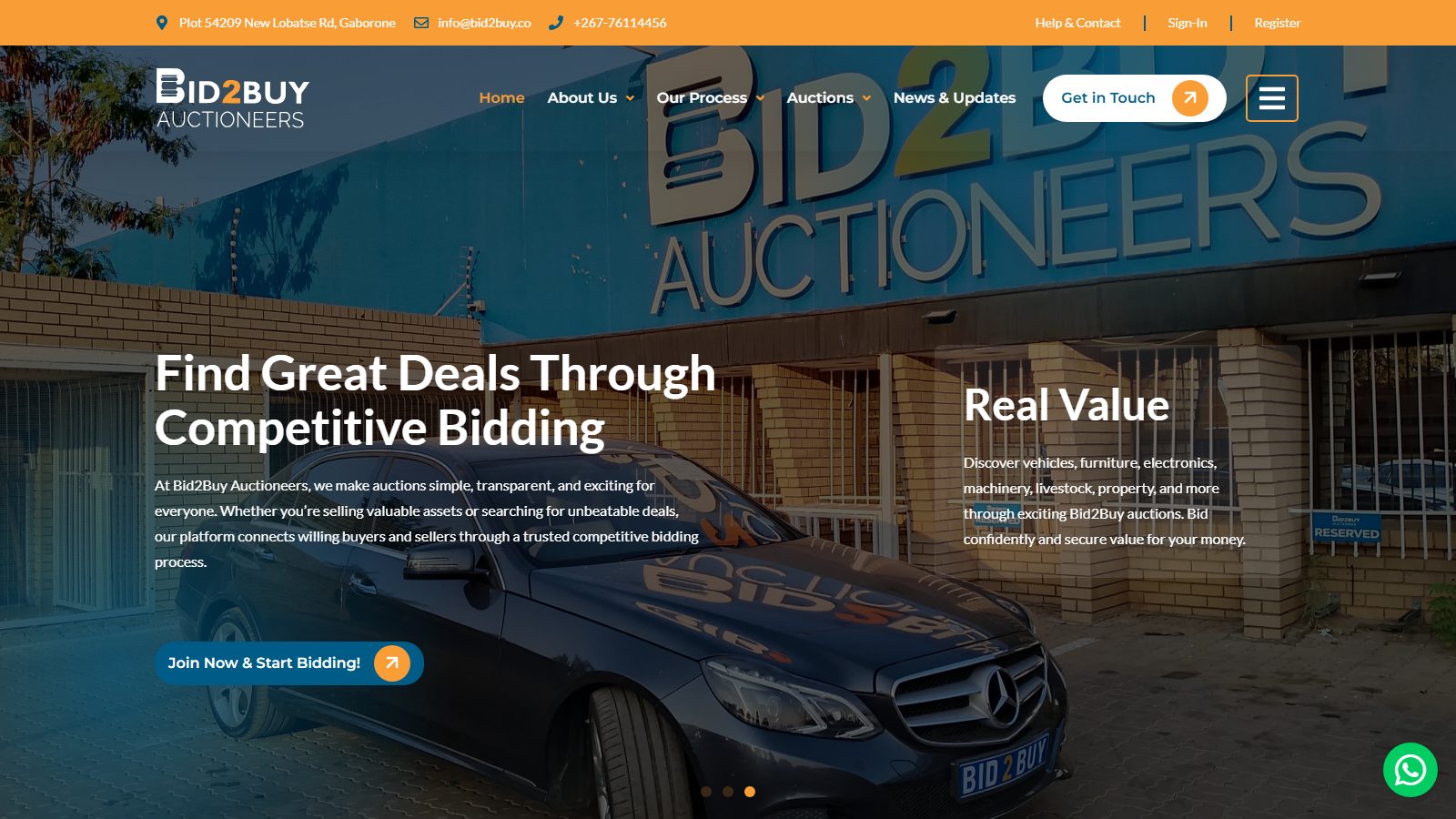
Bid2Buy Auctioneers sells vehicles, furniture, electronics, machinery, livestock, property and more through competitive auctions. We built the platform that runs the business, from the moment goods arrive at the warehouse to the invoice after the hammer falls.
At a glance
Client
Bid2Buy Auctioneers
Industry
Auctions: vehicles, furniture, electronics, machinery, livestock and property
Location
Gaborone, Botswana
What we built
Corporate website · Auction management system · Windows Auction Dashboard · Mobile app
Visit bid2buy.coThe brief
Bring every part of running an auction into one system, from the goods in the warehouse and the auction calendar to registrations, payments and invoices, and make it simple and safe for the team to use every day.
Our approach
We mapped the auction from end to end, then built one system around it, with a dashboard for each person involved: the admin team, the sellers and the buyers. The same system powers the website, the Windows app and the mobile app.
[ What we built for Bid2Buy ]
Everything an auction needs, in one system.
From the warehouse floor to auction day and the final invoice, every step happens in the same connected system.
Corporate website
The Bid2Buy brand online: how the auction process works, upcoming auctions, news and updates, and a clear route for new bidders to register and start bidding.
Auction management system
The system the whole auction business runs on.
Warehouse and goods received
Auction scheduling
Participant registration
Seller and buyer dashboards
Finance and accounting
Auction-day carousel
Invoicing and statements
Reports and more
Auction Dashboard for Windows
A native Windows installer for the admin team. Admins open the system like any desktop program, with no browser and no web addresses to mistype, and get a simpler, consistent look and feel on every screen.
Mobile app
Makes it easy to find auction schedules, browse item and lot lists, and take part in online auctions straight from a phone.
Live online bidding is being tested now. When it is ready, it plugs straight into the auction system, so bidders can take part from anywhere: on the web or through the app.
[ What both projects share ]
Built the same way, whatever the business.
One source of truth
Websites, apps and staff tools share the same data, so customers and teams always see the same products, prices and records.
Access by role
Everyone signs in once and sees only the work their role allows, from sales to finance and HR.
Built for real conditions
The desktop apps keep working when the connection drops and catch up automatically when it returns.
Always up to date
The apps check for new versions and update themselves safely, so every PC and phone runs the latest build.
Ready to connect your business?
Tell us how your business works today. We’ll help you find where a website, an app or a connected system can make the biggest difference.